
原创2026/3/5大约 3 分钟
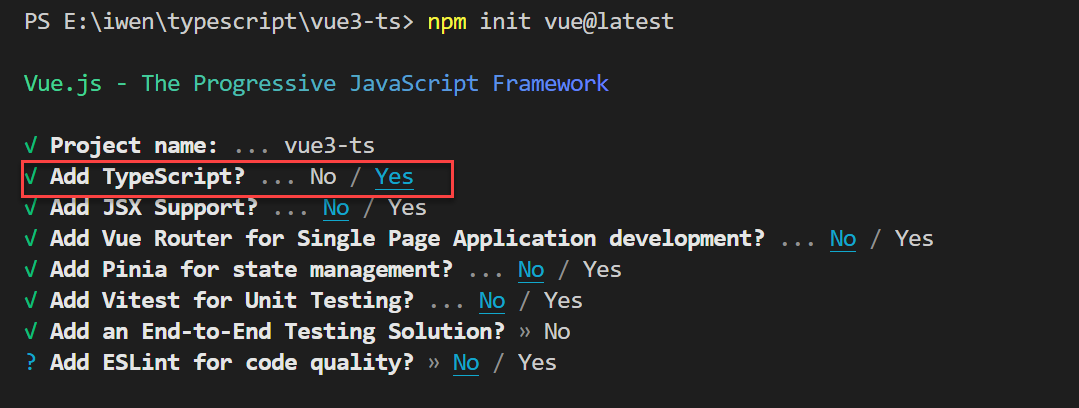
Vue3 对 TypeScript 支持更友好了,我们可以将 JavaScript 语法更换为 TypeScript,提升开发体验
为 ref()标注类型
ref() 会根据初始化时的值推导其类型
<template>
  <p>{{ name }}</p>
</template>
<script setup lang="ts">
import { ref } from 'vue'
const name = ref('jiamei')
name.value = 200 //不能将类型“number”分配给类型“string”。ts(2322)
</script>
有时我们可能想为 ref 内的值指定一个更复杂的类型
方式一:使用 Ref
<template>
  <p>{{ name }}</p>
</template>
<script setup lang="ts">
import { ref } from 'vue'
import type { Ref } from 'vue'
const name: Ref<string | number> = ref('jiamei')
name.value = 12
</script>
方式二:传入泛型参数,覆盖默认的推导行为
<template>
  <p>{{ name }}</p>
</template>
<script setup lang="ts">
import { ref } from 'vue'
const name = ref<string | number>('jiamei')
name.value = 12
</script>
注意
在定义 ref 总是要传递默认值,如果你指定了一个泛型参数但没有给出初始值,那么最后得到的就将是一个包含 undefined 的联合类型
为 reactive()标注类型
reactive() 也会隐式地从它的参数中推导类型
<template>
  <h3>{{ book.title }}</h3>
  <h3>{{ book.author }}</h3>
</template>

<script setup lang="ts">
import { reactive } from 'vue'
const book = reactive({
  title: '三体',
  author: '刘慈欣',
})
book.title = 200 // 不能将类型“number”分配给类型“string”。ts(2322)
</script>
要显式地标注一个 reactive 变量的类型,我们可以使用接口
<template>
  <h3>{{ book.title }}</h3>
  <h3>{{ book.author }}</h3>
</template>

<script setup lang="ts">
import { reactive } from "vue"
interface iBook {
  title: string | number;
  author?: string
}
const book = reactive<iBook>({
  title: "三体",
  author: "刘慈欣"
})
book.title = 200
</script>
当然,也可以 const book:iBook = reactive({})
处理数组的类型
<template>
  <ul>
    <li v-for="(item, index) in book" :key="index">
      <h3>{{ item.name }}</h3>
      <p>{{ item.v }}</p>
    </li>
  </ul>
</template>

<script setup lang="ts">
import { reactive } from "vue"
interface Item {
  name: string | boolean | number;
  v: number
}
interface iBook {
  [index: number]: Item
}
const book: iBook = reactive<iBook>([
  {
    name: "流浪地球",
    v: 1
  },
  {
    name: "黑暗森林",
    v: 2
  },
  {
    name: "死神永生",
    v: 3
  }
])
book[0].name = 200
</script>
为 computed()标注类型
computed() 会自动从其计算函数的返回值上推导出类型
<template>
  <h3>{{ doubleCount }}</h3>
</template>

<script setup lang="ts">
import { ref, computed } from 'vue'
const count = ref<number>(100)
const doubleCount = computed(() => count.value * 2) // 推导得到的类型:ComputedRef<number>
const result = doubleCount.value.split('') //类型“number”上不存在属性“split”。ts(2339)
</script>
你可以通过泛型参数显式指定类型
<template>
  <h3>{{ doubleCount }}</h3>
</template>

<script setup lang="ts">
import { ref, computed } from 'vue'
const count = ref<number>(100)
const doubleCount = computed<number | string>(() => {
  // 若返回值不是 number或string 类型则会报错
  return count.value * 2
})
</script>
为事件处理函数标注类型
在处理原生 DOM 事件时,应该为我们传递给事件处理函数的参数正确地标注类型
event 隐式地标注为 any 类型
<template>
  <button @click="clickHandler">按钮</button>
</template>
<script setup lang="ts">
const clickHandler = (event) => {  //参数 "event" 隐式具有 "any" 类型,但可以从用法中推断出更好的类型。ts(7044)
  console.log(event)
}
</script>
建议显式地为事件处理函数的参数标注类型
<template>
  <button @click="clickHandler">按钮</button>
</template>

<script setup lang="ts">
const clickHandler = (event: Event) => {
  console.log(event)
}
</script>
为事件传递参数标注类型
<template>
  <button @click="clickHandler('message', $event)">按钮</button>
</template>
<script setup lang="ts">
const clickHandler = (data: String, event: Event) => {
  // 如果data不传递string类型就会报错
  console.log(data, event)
}
</script>
为模板引用标注类型
模板引用需要通过一个显式指定的泛型参数和一个初始值 null 来创建
<template>
  <div ref="container">获取DOM</div>
</template>

<script setup lang="ts">
import { ref, onMounted } from 'vue'
const container = ref<HTMLDivElement | null>(null)
onMounted(() => {
  // container.value可能为空,这里需要增加判断
  if (container.value) {
    container.value.innerHTML = '自定义数据'
  }
})
</script>至此,本章节的学习就到此结束了,如有疑惑,可对接技术客服进行相关咨询。